A contract is Nester's core. It was also its most rigid part.
The only option was uploading a PDF drafted outside Nester — no editing, no viewing, no deleting from inside the platform. It was a dead file attached to a record, disconnected from the owner, tenant, and property data the system already had.
Property managers rebuilt the same document over and over, copying data the platform already stored. Agencies and family offices running 10+ templates asked for this constantly.
It wasn't a nice-to-have — it was a basic the industry expected, and we hadn't shipped it yet.
One template had to survive contracts that are never the same twice.
A number that's never fixed
A contract can have one owner or five. One tenant or five. One property, or several. That number is only known when the manager fills out the contract — never when the template is created. Design for a fixed number of parties, and the first contract that didn't fit the mold would break it.
Two systems, one source of truth.
Smart blocks vs. indexed variables
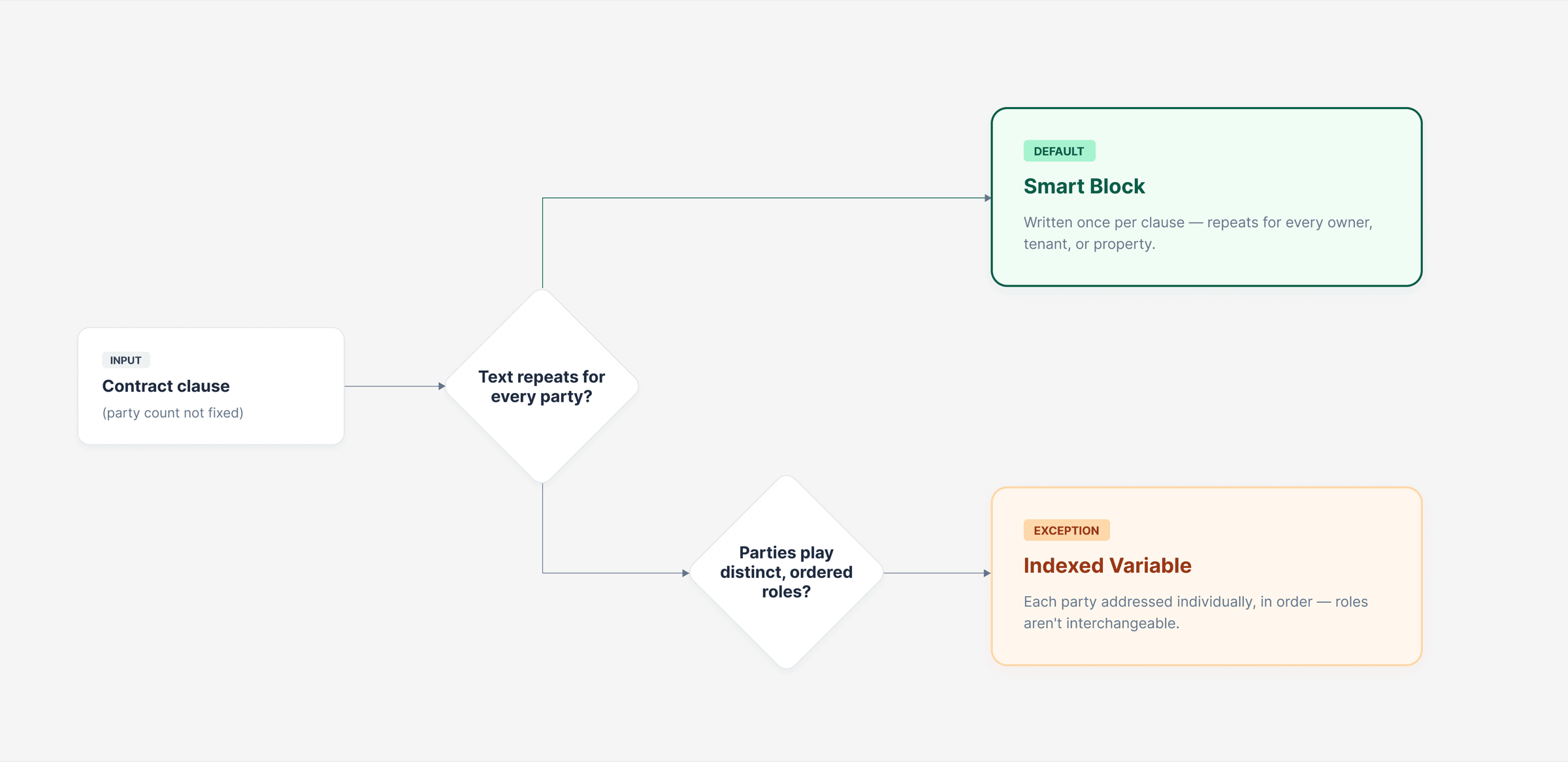
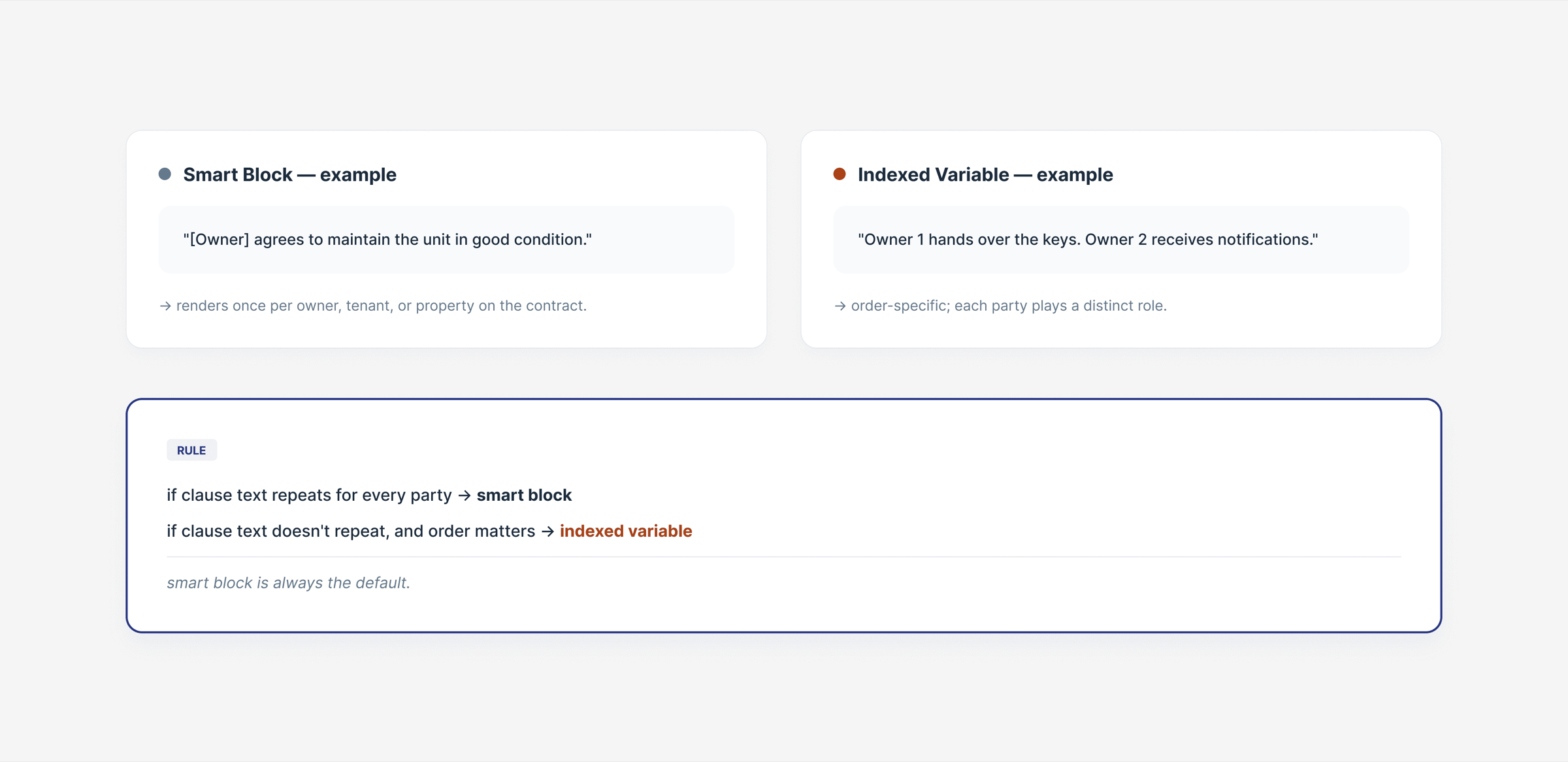
Both systems read from the same place: the array of owners, tenants, and properties attached to that contract. Smart blocks solve the part that can't be pinned down in advance — the manager writes a clause once, and it iterates over however many parties the contract ends up with, one or ten, with the grammar (commas, "and") concatenated automatically. Indexed variables solve the opposite case: parties that aren't interchangeable, addressed individually up to five — "owner 1 hands over the keys, owner 2 receives notifications."
The rule: if the text repeats identically for every party, it's a smart block; if the parties play distinct, ordered roles, it's an indexed variable.
Part of the front-end still ran on Laravel with Bootstrap 4, mid-migration to Next.js — that's what pushed TipTap for the editor and variables built as chips instead of plain text. Before writing a single spec, I used Claude and Lovable to test the grammar logic across edge cases — one owner versus five, mixed genders, inconsistent naming — so it was validated before development began.
Every variable already in the system, one menu away
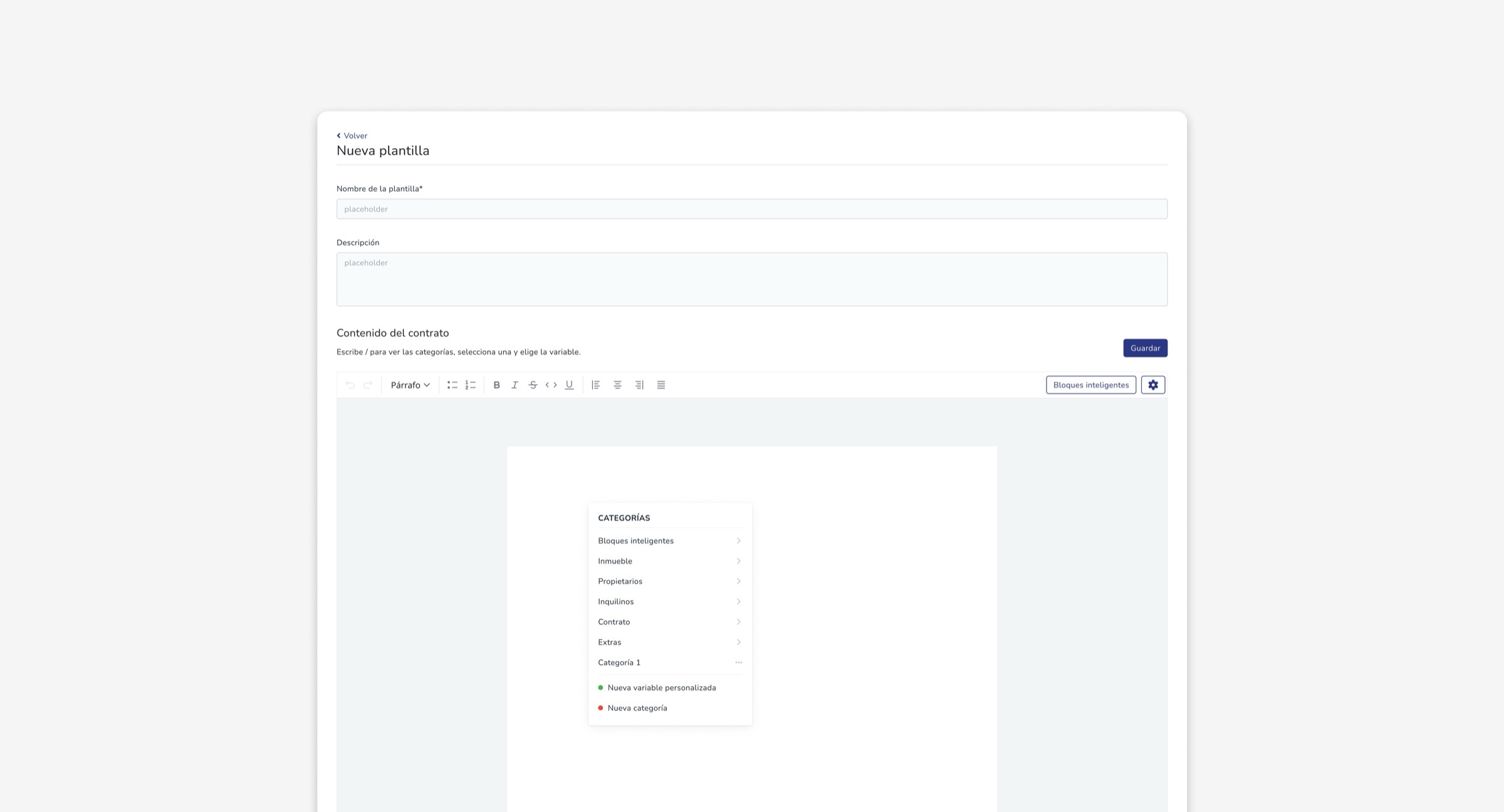
The slash menu surfaces everything Nester already knows — property, owner, tenant, and contract data — organized into seven categories so a manager never has to hunt for a field. When something isn't already in the system, the same menu lets the manager create a custom variable — or a whole new category — on the spot, and fill it in manually without leaving the document.
A color code so a legal document never ships half-done
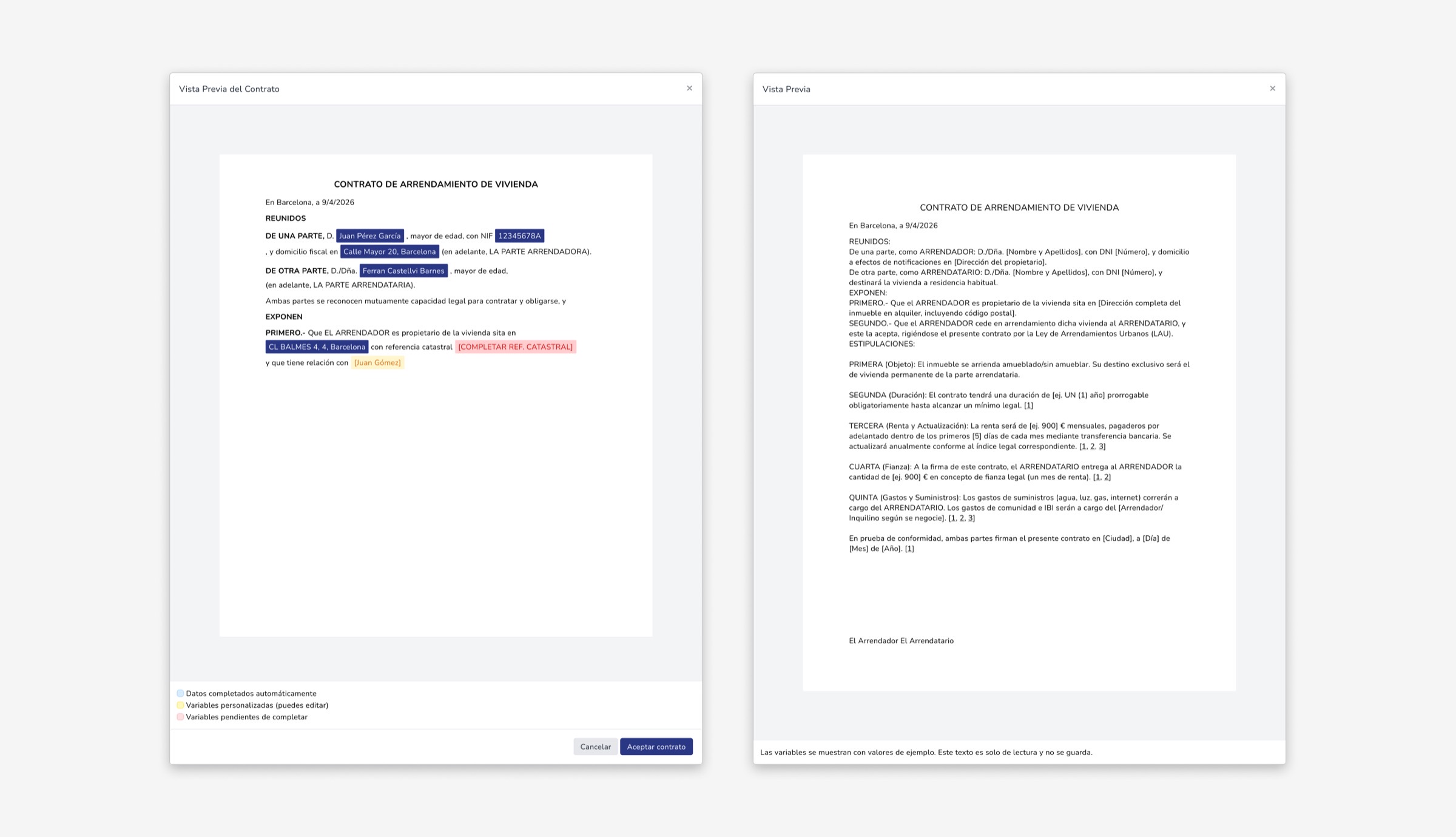
Every variable resolves against real data at contract creation, marked blue (existing data, editable), yellow (custom variable), or red (required, missing). The product decision behind it: the contract can't be accepted while red fields remain. A legal document with gaps isn't a UI bug — it's real business risk.
Build once. Reuse in every contract.
The template editor
A document-style editor (TipTap), with variables organized into 7 categories — property, owners, tenants, contract terms, financials, extras, and smart blocks — plus the ability to create custom variables and categories when the system doesn't already cover something.
The document itself can be branded, not just filled in. Company and owner logos can be shown in the header — positioned left, center, or right, on the first page only or on every page — with the system pulling each owner's logo automatically from their record. A footer carries fixed legal text or agency contact details, repeated on every page, with automatic page numbering underneath it. A typography selector (five typefaces) applies globally — contract body, footer, and page numbers together — updating live as the manager adjusts it, before anything gets exported.
Creating a smart block opens a three-tab modal — owners, renters, and properties. The legal alias auto-suffixes when a block repeats across multiple parties (so "Owner" becomes "Owner 1", "Owner 2" without the manager naming it manually), and the preview resolves the block against two live test records side by side, so the manager sees exactly how the grammar concatenates before saving it.
From template to signed-ready contract
At contract creation, the manager picks a template or uploads a PDF. Choosing a template opens the dynamic previewer with the color system above, letting the manager resolve any pending field directly on the document — no need to leave the preview.
The adoption answered the question we couldn't ask directly.
60 distinct contract templates were created in the first two months after launch — a clear signal the problem was real: managers didn't just adopt the feature, they actively customized it to their own operation, across rental types, regions, and client profiles.
One piece of the contract lifecycle, not the whole thing
Contract Templates fixed how a contract got built inside Nester — but building it well wasn't the same as closing it. Managers now had a fast, accurate way to generate a contract, but the cycle still wasn't complete until it was signed. That gap is what the next project picked up: moving signing itself inside the platform.
The hard part was never making it work. It was making it legible.
Smart blocks and indexed variables both do the same technical job: resolve data into text. The real design challenge was building something a non-technical person could trust with a legal document — visible, editable, and safe to get wrong before it ever gets signed.